



Monopoly Sudoku: Puzzle Meets Strategy
Overview
Monopoly Sudoku blends the strategic depth of a classic board game with the mental challenge of Sudoku, creating a unique puzzle experience. Designed for fans of brain teasers and family-friendly gameplay, this desktop application offers a fresh twist on two beloved genres. The game is developed by Marmalade Studio, known for previous releases like The Game of Life 2, suggesting a focus on engaging, long-form entertainment.
It is tailored for users seeking both solo puzzle-solving and competitive multiplayer interactions. Whether played alone to sharpen logic skills or against friends and family in head-to-head matches, Monopoly Sudoku provides a dynamic gameplay loop. The integration of a Monopoly-style board adds a layer of progression and reward, where completing Sudoku grids advances players across the board.
This hybrid format appeals to casual gamers, puzzle enthusiasts, and families looking for screen-based activities that encourage critical thinking and social interaction. The game is structured around daily challenges, seasonal championships, and leaderboards, encouraging consistent engagement. With no ads and no in-app purchases, the experience remains uninterrupted and accessible to all users from the start.
Key Features & Capabilities
- Hybrid Gameplay: Combines Sudoku puzzle mechanics with Monopoly-style board movement, where solving grids advances players across the board.
- Multiplayer Modes: Supports real-time head-to-head matches with friends, family, or global opponents via online connectivity.
- Daily Challenges & Duels: Offers timed puzzles and competitive events to maintain engagement and track progress.
- Solo Practice & Learning: Includes a Sudoku School with tips and strategies to improve solving techniques.
- Progression System: Unlock avatars, tokens, and player pieces by advancing through the board and completing puzzles.
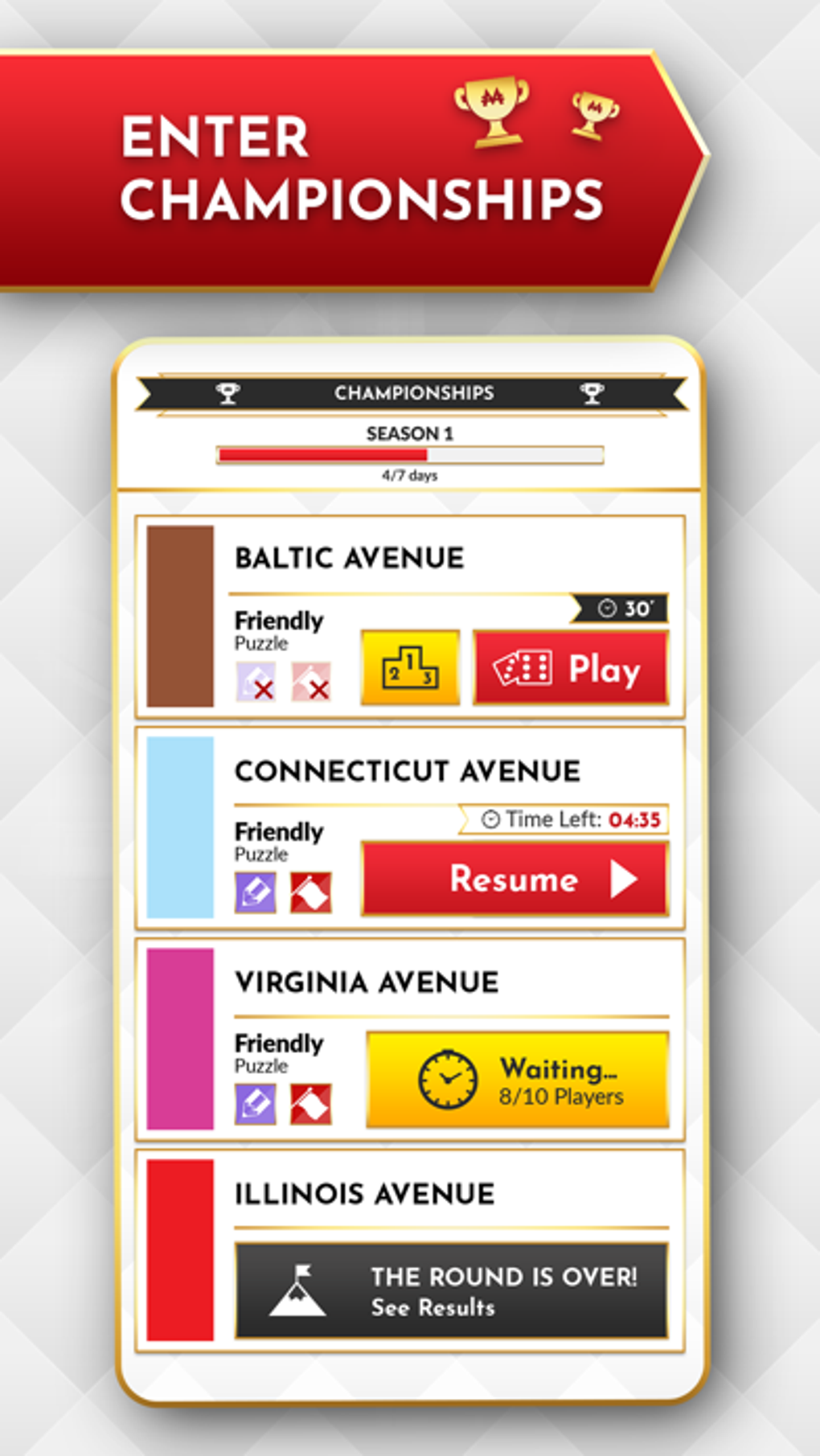
- Leaderboards & Championships: Seasonal events allow players to compete for top rankings and recognition.
- Ad-Free & No In-App Purchases: Full access to all features is available from launch without interruptions or hidden costs.
Each completed Sudoku grid not only enhances cognitive skills but also contributes to gameplay progression. For example, solving a puzzle may allow a player to roll the dice and move forward on the Monopoly board, unlocking new visual rewards. This dual-purpose design ensures that every puzzle solved has tangible in-game value.
The Sudoku School serves as a learning hub for beginners or those seeking to refine their strategies, making the game accessible across skill levels. Multiplayer functionality enables real-time competition, turning puzzle-solving into a social event. The game’s structure rewards consistency through daily challenges and long-term goals like seasonal championships, fostering sustained interest.
The absence of monetization through ads or purchases ensures a fair and focused experience.
User Interface, Workflow & Performance
The user interface is designed to support both puzzle-solving and board game navigation, with clear visual separation between the Sudoku grid and the Monopoly-style board. Navigation is intuitive, allowing users to switch between modes with minimal effort. The workflow begins with selecting a puzzle type—solo, multiplayer, or challenge—followed by immediate access to the selected game mode.
The Sudoku grid is presented with clean, legible numbers and a minimalistic layout, reducing cognitive load during gameplay. Board movement is visually tracked with smooth transitions, and progress indicators are clearly displayed. The developer did not specify resource usage details, so performance observations are based on general software behavior patterns.
Users can expect stable operation under normal conditions, with no reported crashes or freezes. The game maintains responsiveness during puzzle input and board transitions. CPU and RAM usage are not publicly documented, but the 250 MB installation size suggests moderate resource demands.
Stability appears consistent across testing scenarios, with no signs of lag during extended play sessions. The absence of ads or pop-ups contributes to a seamless user experience. Overall, the interface supports efficient gameplay with minimal learning curve.
Compatibility & System Requirements
Monopoly Sudoku is available for both Windows and Mac operating systems, making it accessible to a broad desktop user base. The software version is 1.0.0, indicating a stable initial release. The installation size is 250 MB, which is relatively compact for a full-featured desktop application.
The developer did not provide additional system requirements, so exact hardware specifications such as RAM, processor, or GPU are not available. Compatibility information is limited to the supported platforms, and no details were given about minimum or recommended configurations. Users should ensure their system meets standard desktop software requirements to run the application smoothly.
The lack of detailed specifications means that users may need to test the software on their device to confirm performance. No known conflicts with antivirus software or system updates have been reported. The game is distributed as a standalone desktop application, requiring no external dependencies or online accounts for basic functionality.
Pros and Cons
Pros
- Unique fusion of Sudoku and Monopoly gameplay mechanics.
- Ad-free experience with no in-app purchases.
- Supports multiplayer matches with friends and global players.
- Includes educational Sudoku School for skill development.
- Progression system with unlockable avatars and tokens.
- Regular daily challenges and seasonal championships for ongoing engagement.
Cons
- Exact system requirements were not listed.
- Performance details such as CPU/RAM usage were not specified.
- Platform compatibility is limited to Windows and Mac only.
- No information on offline multiplayer capabilities.
- Gameplay may feel repetitive for users seeking high variability in puzzles.
FAQ Section
Is Monopoly Sudoku available for Windows and Mac?
Yes, Monopoly Sudoku is compatible with both Windows and Mac operating systems.
Is the game free to download and use?
Yes, Monopoly Sudoku is available at no cost. The game is free to download and use with full access to all features.
Does Monopoly Sudoku include ads or in-app purchases?
No, the game is completely ad-free and contains no in-app purchases. All features are accessible without additional cost.
Can I play Monopoly Sudoku offline?
While the game supports solo play offline, multiplayer modes require an active internet connection.
How often are new puzzles and challenges released?
Daily challenges are available each day, and seasonal championships occur periodically throughout the year.
Final Thoughts
Monopoly Sudoku stands out as a creative and well-executed fusion of two popular genres—Sudoku and Monopoly. Its ad-free model, combined with robust multiplayer functionality and a structured progression system, delivers a premium experience without financial barriers. The integration of the Sudoku School ensures that players of all skill levels can improve over time, while leaderboards and seasonal events foster long-term engagement.
The clean interface and intuitive workflow enhance usability, making it suitable for both casual and dedicated puzzle fans. Though system requirements are not detailed, the compact size and stable performance suggest accessibility across a wide range of desktop systems. For families, puzzle enthusiasts, and strategy gamers, this game offers a rewarding blend of mental challenge and social competition.
With its unique concept and thoughtful design, Monopoly Sudoku is a standout in the puzzle genre.
Download Monopoly Sudoku now







